Physics
The physics module simulates physical behavior in the environment and provides reliable spatial queries such as raycasts and sweep tests. The physics system must be enabled in the main control panel before any simulation occurs. Once active, global properties such as gravity and the collision matrix define the behavior of all physics objects.
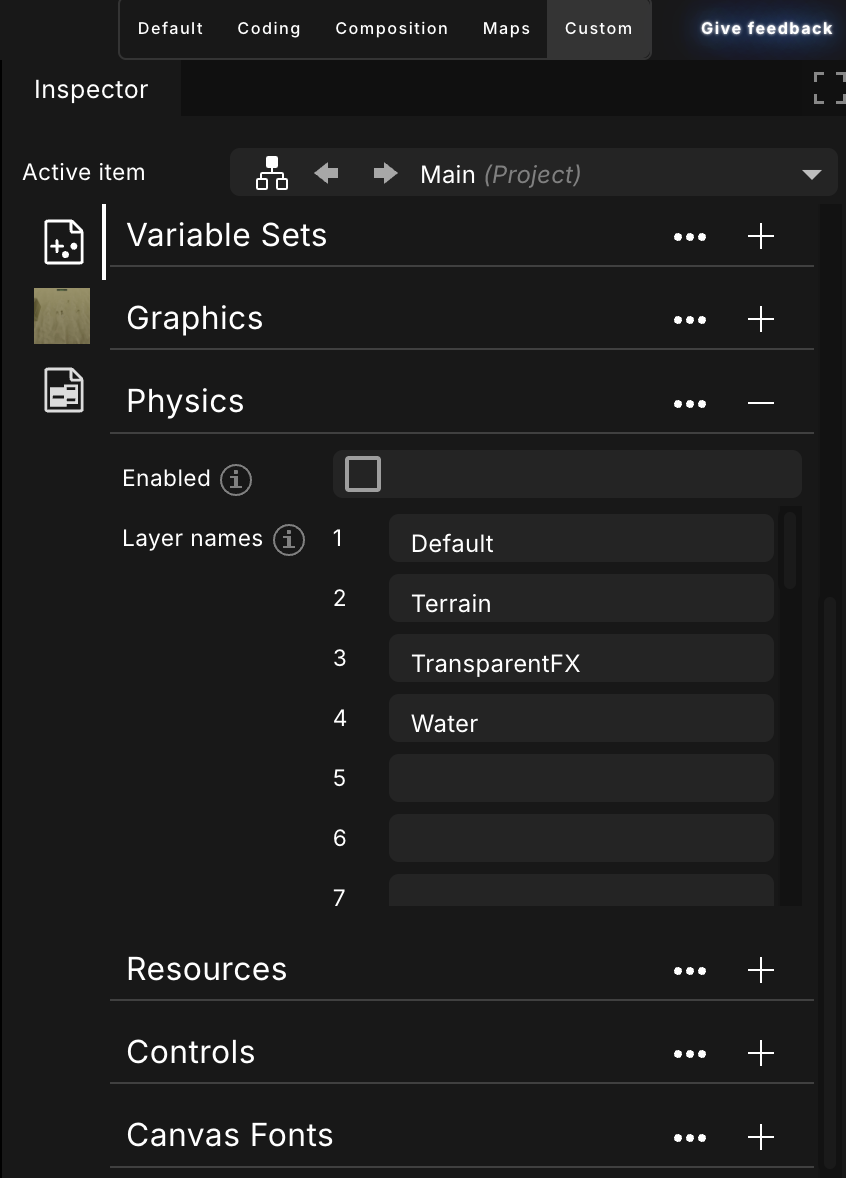
The main physics tab in the editor, showing global settings such as gravity, collision layers, and whether physics is enabled.
Objects participate in the simulation only when their PhysicsEnabled attribute is set to true. Each object can then be configured with a body type that determines how it behaves:
- Rigid bodies are fully simulated and respond to forces, gravity, and collisions.
- Soft bodies allow deformation and are suited for flexible geometry.
- Ghost objects detect overlaps but do not generate physical responses, making them ideal for triggers and sensors.
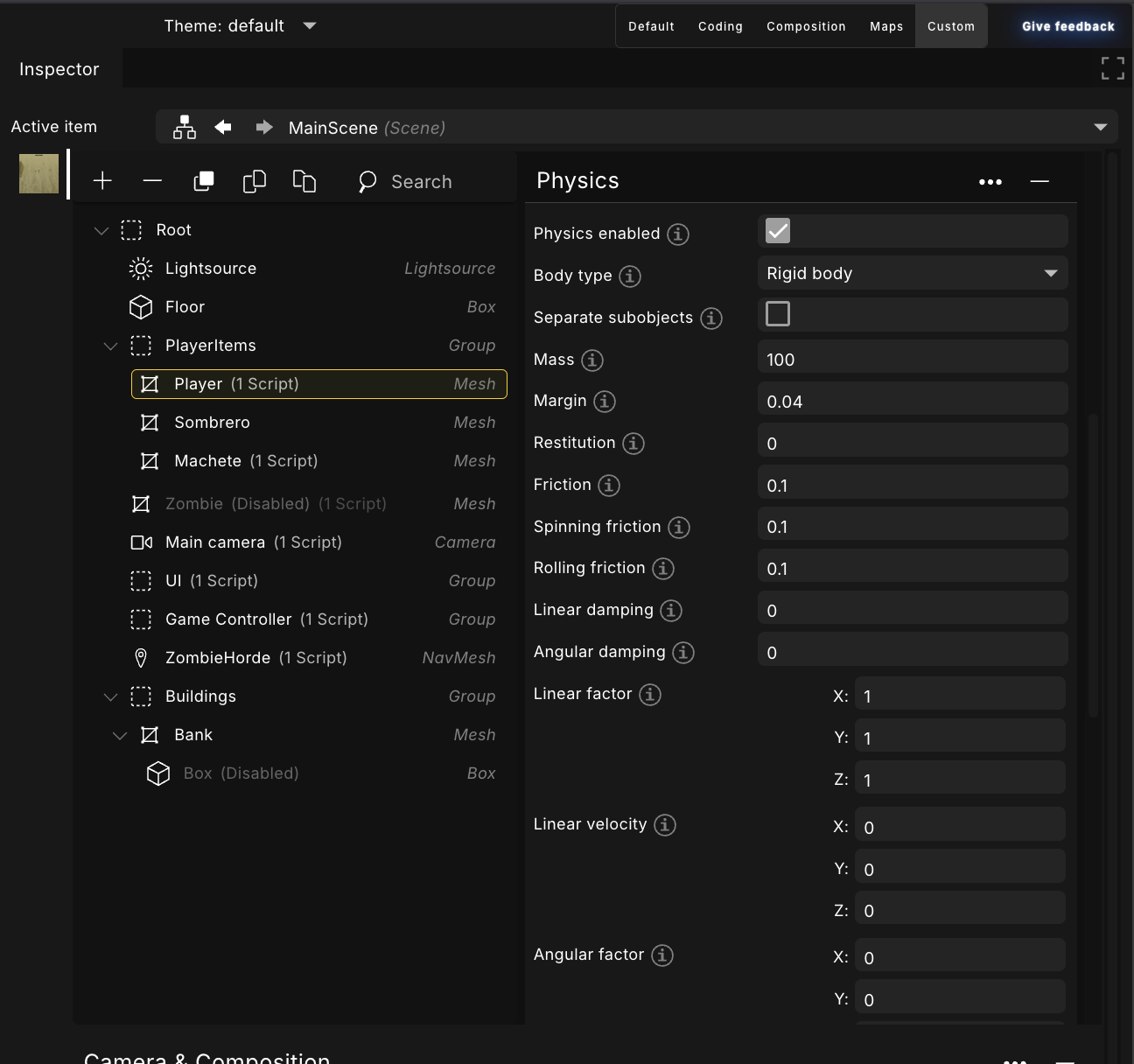
The scenegraph object physics tab, showing per-object physics settings such as body type, mass, and collision properties.
Collisions
Collisions are controlled through a layer-based system. Every object belongs to a layer, and the collision matrix specifies which layers interact. This approach improves performance and prevents unintended contacts by ensuring that only relevant objects are tested against each other.
Raycasting and Sweep Tests
For spatial queries, the module provides raycasting and convex sweep tests. Raycasts are useful for visibility checks, hit detection, and ground probing, while sweep tests predict collisions along a path by moving a shape through space. Both methods support optional layer filtering to further narrow results.
Pause and Resume
The physics simulation can be paused or resumed at any time using Physics.pause and Physics.resume.